Planned
In the flow of your slide deck, telling the story you've prepared.
Plan your story, layer slides that handle the questions you expect and build the rest on demand. This means your audience leave with the answers they came for.
Traditional presentations move in one direction. The best conversations don't. With slideAcross, every slide is a crossroads.
Create beautiful, compelling content in slides that are:
In the flow of your slide deck, telling the story you've prepared.
Layered in slides you can drill down to, ready for the questions you can plan for.
Built on demand from your approved documents, so you can answer the question nobody saw coming.
 dataLayersNew
dataLayers turns your spreadsheets and live data into a beautifully branded presentation, with the story already written. Every number explained, every question answered, right there in the meeting.
Keep it - this is something different. Dashboards are for the desk. dataLayers is for the meeting, telling the story and answering the room, with everyone looking at the same numbers.
You may not need one. If your numbers live in spreadsheets, this may be the solution you've been looking for.
The story doesn't stop at the headline. It starts there.
 Video series
20 Features of slideAcross
Discover the key features of slideAcross as a
multilayered, interactive presentation platform. Each video is under 2
minutes.
Video series
20 Features of slideAcross
Discover the key features of slideAcross as a
multilayered, interactive presentation platform. Each video is under 2
minutes.
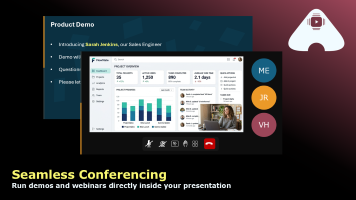
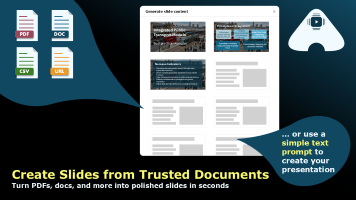
Layer your story, build slides while you present, control your deck by voice and create content from trusted documents.
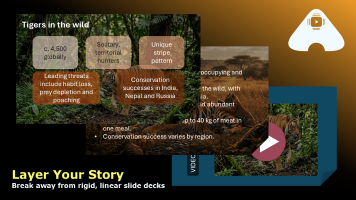
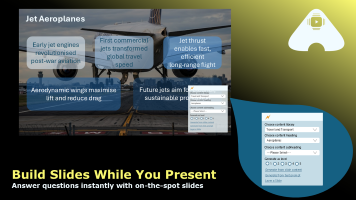
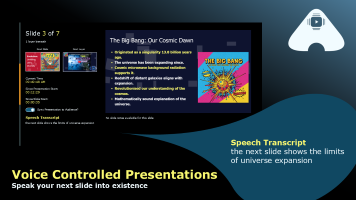
We usually delete multiple slides from our final deck. This time we layered them under the appropriate content just in case. And it paid off because we used two of these layered slides to answer the panel's questions.
This software encapsulates everything that teaching should be about - it allows teachers to explore the passion that pupils have for a particular topic within the framework of a planned lesson.
We talk about being data-driven, but prior to slideAcross this was based on static insights or overly complex dashboards. Now everyone is always on the same page, with a data story crafted for their business area.
We bit the bullet and used the live slide builder during a presentation, using a section from our policies document. The result nailed what was needed to address a concern in the room at that moment.
The questions every team asks before they switch - answered.
Import a .pptx and every slide arrives fully editable - text, shapes, pictures, charts and speaker notes. Export back to PowerPoint whenever you need to.
Slides are built from the content libraries you choose - bids, policies, training guides - and you can stop AI writing anything that isn't in them.
Choose your AI providers, including OpenAI and Google Gemini, for the whole organisation or each department. Your content is never used to train their models.
Organise people into departments and teams, with roles and data permissions to match. Administering slideAcross doesn't mean seeing everyone's data.
A free plan for one person, then Pro from £19.50 per person per month (exc. VAT), with your first month free. Add or remove licences yourself, any time.
slideAcross runs in your browser. Present on one screen, or with a separate audience view and your notes on your own.
Sales conversations rarely go exactly to plan. A prospect asks about pricing, a stakeholder pushes on a competitor, someone wants to see a case study you didn't bring. slideAcross makes sure you're never caught out. Layer your content in advance, generate new slides in real time from your content library, and keep the conversation moving without breaking stride. Your prospects stay engaged. Your pipeline stays healthy.
No two students learn the same way, and no two classes go exactly to plan. slideAcross gives educators the freedom to follow the room - diving deeper for the curious, simplifying for those who need it, and responding to questions with new material generated instantly from trusted sources. Any topic can be taught at five levels of detail, from a quick summary to a deep dive. Less time managing slides. More time teaching.
Training only works when it's consistent, current and answers the question in the room. slideAcross helps every trainer deliver the same approved programme - with layers ready for the common questions, five levels of detail for new starters and experts alike, and new slides built on the spot from your own policies and guides, never from guesswork. Print handouts with space for notes, and with dataLayers, show completion and assessment results by department, then drill into the teams that need support.
Leading an organisation means communicating the same message to very different people. The board wants the numbers. The team wants the context. The sceptic in the room wants the evidence. slideAcross lets you read the room and respond in the moment - going deeper where it matters, keeping it high level where it doesn't, and making sure everyone leaves with the same understanding.
Clients don't just buy your recommendations. They buy their confidence in you. slideAcross makes sure that whatever direction a client conversation takes - however deep the questioning, however unexpected the challenge - you have a considered, evidence-based response ready. Not later. Right now, in the room.
Work in marketing or sales enablement? Discover the unfair advantage that slideAcross gives your presenting teams.

Ever Decreasing Circles: The Perpetual Cycle of Generative AI. Why generative AI needs human-written foundations to say anything unique.
Read the white paperReal presenting moments, and what they teach us.
All storiesSee how slideAcross compares as an alternative to:
Plan it, layer it, or build it on demand. However the conversation turns.
 Try our demo sales presentation for yourself.